
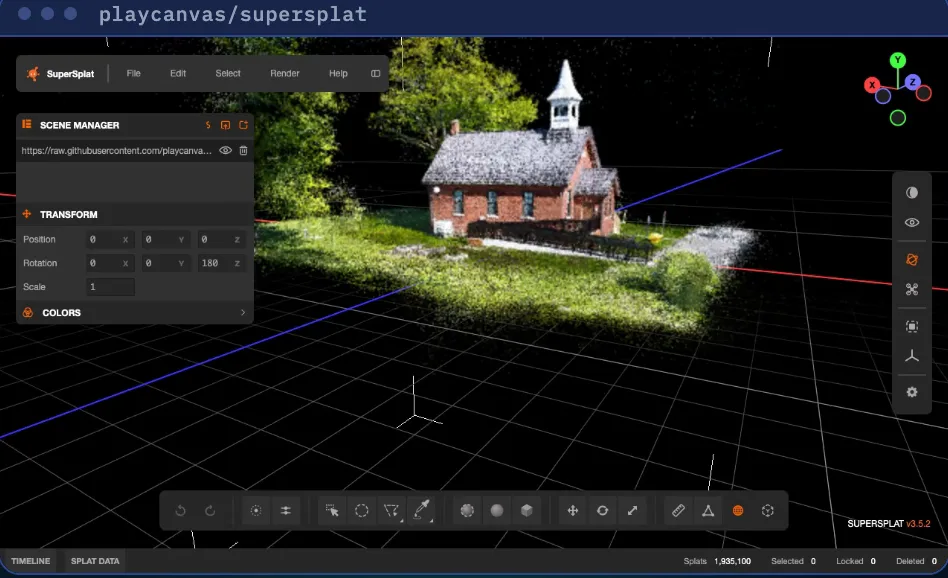
SuperSplat is a free, open-source editor for 3D scans called Gaussian splats. It runs in your browser, nothing to install. It is made by PlayCanvas under the MIT license. SuperSplat edits and shares a scan. Making the scan from photos takes another app.
1. Make a scan
- Easiest: Scaniverse, a phone app for iOS and Android. It builds the scan on the phone itself and exports a PLY file. Its free tier covers on-device capture and processing.
- Advanced: take many photos from all sides and heights, then train the scan in a desktop tool such as Brush (free, open source). The building in our video was made from 185 drone photos with Metashape and Brush.
2. Open it
Go to superspl.at/editor in a current Chrome or Edge, or Safari 26 or later. Drop your .ply file into the window, or use File, then Import. Left-drag to orbit, right-drag to pan, scroll to zoom.
3. Clean it up
Raw scans have stray specks floating in the air. Press N to turn on Selection Depth, so you only pick what you can see. Choose Rectangle Selection (R) or Brush Selection (B), mark the specks and press Delete. Turn the view and repeat. Deleted too much? Edit, then Undo. Select, then Reset brings back everything you deleted.
4. Crop to your subject
Choose Box Selection, place the box around what you want to keep, then Select, Invert and Delete.
5. Save your work
File, then Save keeps a project file (.ssproj) so you can continue later.
6. Share it
Log in at superspl.at with a free PlayCanvas account. Frame your best view, then File, Publish, add a title and click Publish. You get a link to send. New scenes are unlisted: only people with the link can see them. To host it yourself, Export it as a single HTML file instead.
Who uses it
Clients can walk through a space before they visit: a property, a finished job, an event space.
Good to know
- User guide: developer.playcanvas.com/user-manual/gaussian-splatting/editing/supersplat/
- Code and license: github.com/playcanvas/supersplat (MIT)
- Scene in our video: «Knock Community Hall» by scbenoit, CC BY 4.0 (superspl.at).
Sources: SuperSplat README and the PlayCanvas user manual, checked Nov 9, 2026.
We are not affiliated with PlayCanvas, Niantic Spatial or the scene author.