
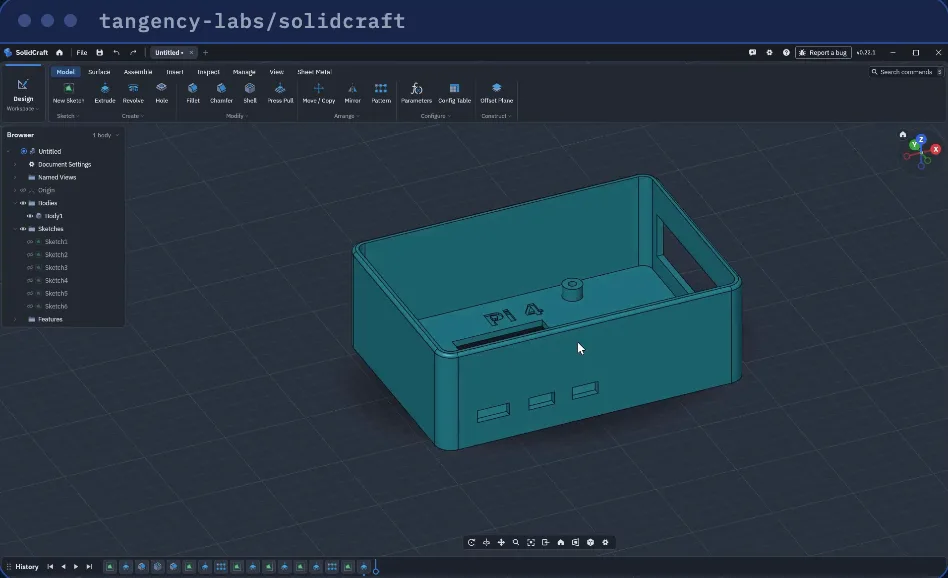
SolidCraft is free, open-source software for 3D design (CAD). It runs in your browser, no install, or as a desktop app for Windows, macOS and Linux. The Apache 2.0 license allows business use.
1. Open it
- In the browser: solidcraft.io/app. Your designs are kept inside that browser, so save important ones to a file.
- On your computer: solidcraft.io/download.
- On the start page, choose a new design in millimetres. Want to look around first? Click a sample.
2. Draw a sketch
Click New Sketch, then the flat Top plane. Pick Rectangle, click the origin, type 60, press Tab, type 40 and press Enter. Every number you type becomes a dimension you can change later. Click Finish Sketch.
3. Make it solid
Click Extrude, click the shaded shape, type 12 and press Enter. You now have a block 60 × 40 × 12 mm.
4. Hollow it and round the edges
Shell: click the top face, keep the 2 mm wall, press Enter. Now it is an open box.
Fillet: click the outer top edges, type 1.5, press Enter.
5. Add holes
Click Hole, then the spot on the floor where the hole goes. Set Diameter to 4 and click OK. To repeat it, open the Arrange panel and pick a pattern.
6. Change one number
Double-click Extrude1 on the timeline, type 20, press Enter. The shell, rounds and holes rebuild on the taller box. For sizes you change often, give them names in Change Parameters, for example width = 40.
7. Export
File, then Export: STL or 3MF for a 3D printer, STEP for a machine shop. Save the design itself (.sc) to keep editing it.
Let AI design it (optional)
SolidCraft has a built-in MCP server, so AI tools like Claude Code can model in it. Install the desktop app, then run this once in a terminal:
claude mcp add solidcraft -- solidcraft-cli mcp
Keep the desktop app open and you can watch the part being built. If the terminal can't find solidcraft-cli, use its full path (see the MCP page in the SolidCraft docs). Then describe the part with sizes:
Using SolidCraft, design an open box 60 by 40 by 20 mm with 2 mm walls, top edges rounded 1.5 mm and four 4 mm holes in the floor. Show me all sizes before you export an STL.
Check every size yourself before you print or order a part.
Good to know
- Still early: in the developers' own tests, 75 of 76 reference parts came out with the right size and shape. Use it for simple parts for now.
- Step-by-step docs with short videos: docs.solidcraft.io
- Code and license: github.com/tangency-labs/solidcraft (Apache 2.0)
Sources: SolidCraft README and docs.solidcraft.io, checked Nov 9, 2026.
We are not affiliated with tangency-labs or SolidCraft.