
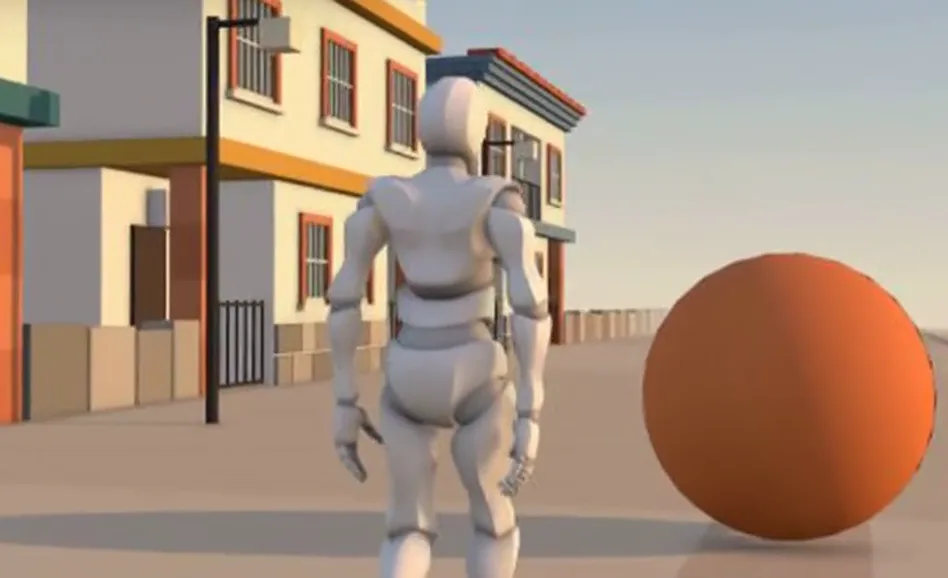
CozyClay is a free, open-source planner for AI videos. It runs in your browser, no sign-up. You build the set from boxes, pose a mannequin, place the camera, and export a first frame, a gray draft clip and a prompt for an AI video generator. The AGPL-3.0 license allows business use. The interface is in English.
1. Open it
- In the browser: cozyclay.org/app. Use a computer with Chrome or another Chromium browser.
- Click New project, give it a name and click Create. You get an empty stage with a camera and a light.
- Your project is kept inside that browser (Browser project store). Save important ones to a file: File, then Save As.
2. Build the set
The tabs above the viewport are the modes: Stage, Pose, Camera, Motion. Start in Stage. Click the + Add button at the top right of the viewport. Cube for walls and furniture, Plane for the floor, Text for a sign, Point light or Spot light for light. Each cube starts at 1 × 1 m, so your set keeps real sizes. Move, rotate and scale things with the tool keys W, E and R.
3. Add the actor
+ Add, then Y Bot: a mannequin with a skeleton you can pose. Capsule figure is a simple stand-in for people who only need to stand somewhere.
4. Pose it
Switch to Pose. Select the mannequin and drag a hand, a foot or the hips; the rest of the body follows. Want to describe the action in words instead? Open the Agent bar at the bottom right (Cmd or Ctrl+B) and write what should happen. The built-in helper needs a ChatGPT sign-in or your own AI key (Anthropic, OpenAI, Gemini and others). Everything else in CozyClay works without an account.
5. Place the camera
Switch to Camera. In the timeline, click + Add shot in the Camera Cuts lane. The Shot Camera panel shows what the camera sees: pick the frame (16:9, or 9:16 for vertical video) and the lens. Fly the view until the shot looks right. The Rail and Crane lanes let the camera move during the shot.
6. Export
File, then Export, then Keyframe pack. You get the first and last frame, a gray reference clip, the camera data and a prompt that describes the real framing. The same menu exports a video, depth and normal passes, a storyboard and a cut list.
7. Generate the video
Upload the first frame and the gray clip to an AI video generator that accepts a reference image and a reference video, and paste the prompt. The generator is a paid service sold separately; it is not part of CozyClay. The author's examples use Seedance 2.5. Start with one short shot and check the result before you plan a whole ad.
Good to know
- Free: the studio at cozyclay.org/app needs no account. Code and license: github.com/HaD0Yun/CozyClay (AGPL-3.0), made by Doyun at NomaDamas.
- The hosted studio collects anonymous usage statistics without cookies. You can switch them off in Edit, then Preferences.
- The project started in July 2026 and changes fast (release v3.2.2 came out on Nov 7, 2026), so a menu item may move. Help, then Tutorial shows the current layout.
Sources: CozyClay README, docs and the studio at cozyclay.org/app, checked Nov 9, 2026.
We are not affiliated with the developers of CozyClay.